Have you generated a Certificate Signing Request (CSR) from cPanel but lost it? Then, you can retrieve it. Follow this tutorial only if you have previously generated a CSR from cPanel.
Steps to retrieve a CSR from cPanel
-
Log in to your cPanel account.
-
In the Security section, click on SSL/TLS.

-
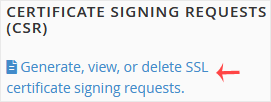
Under the Certificate Signing Request, click on Generate, View or Delete CSR link.
-
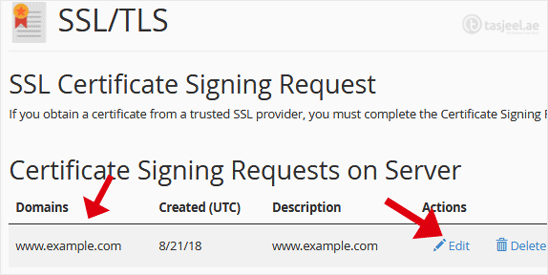
Under Certificate Signing Requests on Server, you can see previously generated CSR.
-
Click on Edit, which is located under the Action option.
-
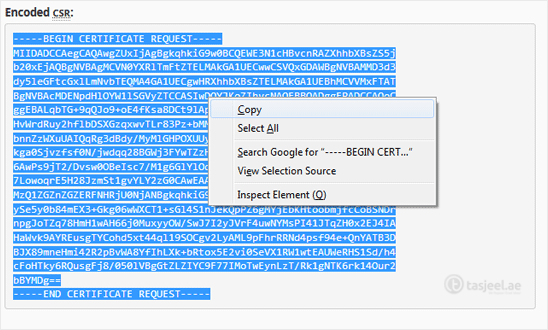
Copy the CSR code, located under the Encoded CSR. Please, copy it from/to:
-----BEGIN CERTIFICATE REQUEST-----to-----END CERTIFICATE REQUEST-----