

Follow these steps to change the FTP quota or set it to Unlimited.
Steps to change the FTP User Quota in cPanel
-
Log in to your cPanel account.
-
In the Files section, click on FTP Accounts.

-
Under the FTP Accounts list, click on Change Quota.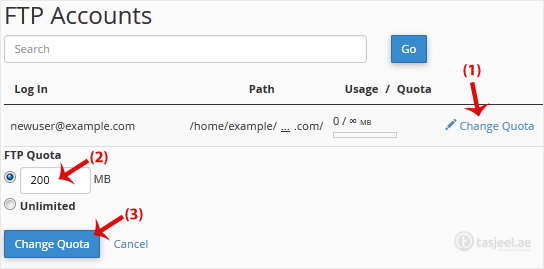
FTP Quota: Specify the quota in numerical words or select Unlimited.
-
Click on Change Quota.
