

You can install a new WordPress theme without having any technical knowledge. It is so easy and automated.
Steps to install a New WordPress Theme
-
Log in to the WordPress dashboard.
-
From the Dashboard menu, go to Appearance and click on Themes.

-
Click on Add New Theme.

-
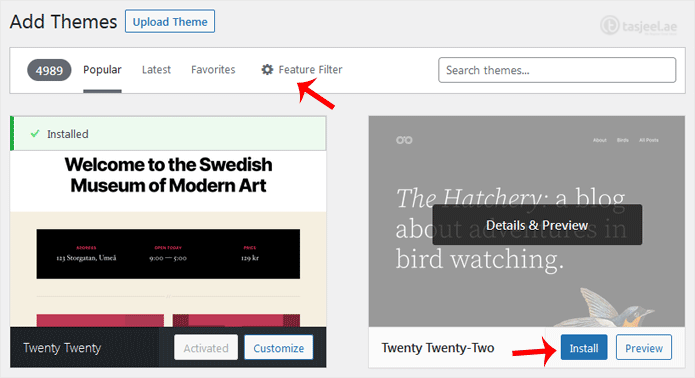
You can search for a theme using the search bar or browse the themes, choosing from Favorites, Popular, and Latest.
-
Hover your mouse over the theme you like and choose Install.
-
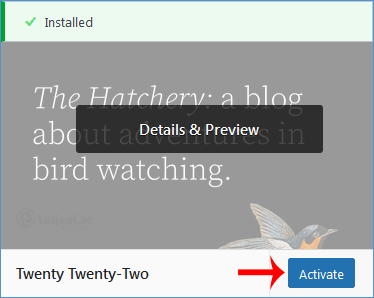
Click Activate on the newly installed theme.
Congratulations, you have installed and activated a new theme on your blog.
