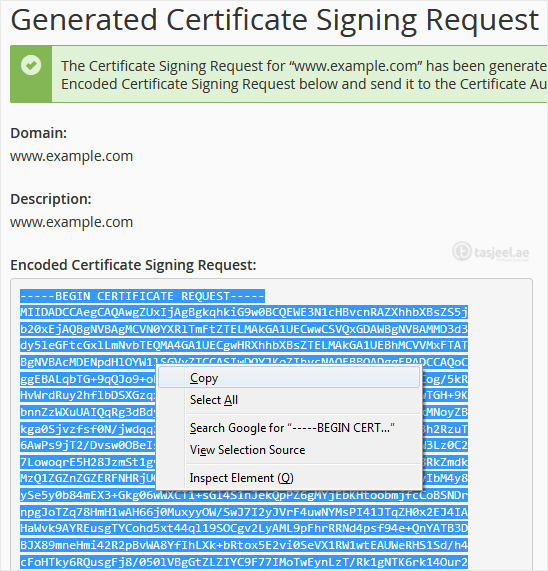
Obtaining a certificate from a trusted SSL provider requires a Certificate Signing Request (CSR). CSR is also needed for generating self-signed SSL certificates. Follow this tutorial to generate a CSR.
Steps to generate a Certificate Signing Request – CSR in cPanel
-
Log in to your cPanel account.
-
In the Security section, click on SSL/TLS.

-
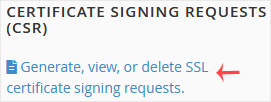
Under Certificate Signing Request, click on Generate, View or Delete CSR Link.
-
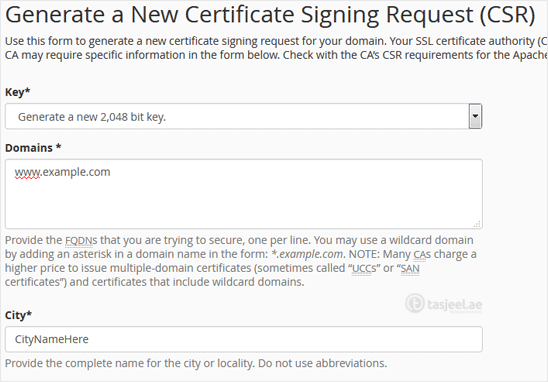
Scroll down and enter the following details:
- Domains: Enter your domain name, such as www.example.com (domains with www cover both non-www and www domains)
- City: Your city name.
- State: Your state name.
- Country: Choose your country name from the drop-down menu.
- Company: Your Company name.
- Company Division: Name of your company division.
- Email: Enter your email address.
- Passphrase: Enter a passphrase (maximum 20 characters) and do not use special characters.
-
Finally, click on Generate. Copy the generated CSR code and save it to your computer. You can use your CSR while purchasing an SSL or reissuing an SSL in the future.