

You should remove unused themes. It is considered good practice to protect your WordPress website from vulnerabilities by not keeping old, unused themes.
Steps to delete a WordPress Theme
-
Log in to the WordPress dashboard.
-
From the Dashboard menu, go to Appearance and click on Themes.

-
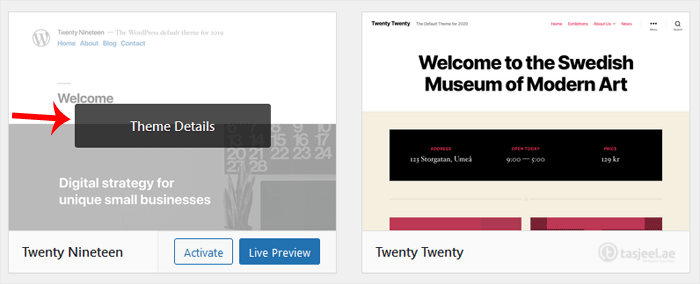
Hover your mouse on a theme you want to remove. Click on Theme Details.
-
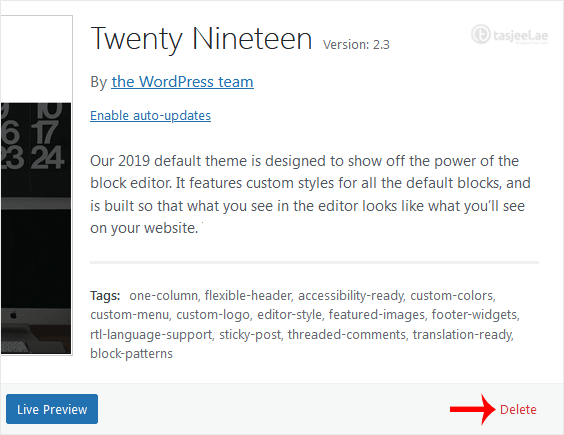
Click on Delete and Confirm with OK. You can find the Delete option at the bottom right area of the window.
You have successfully removed the theme.
