How to Edit a Cronjob
-
Log in to your cPanel account.
-
In the Advanced section, click on Cron Jobs.

-
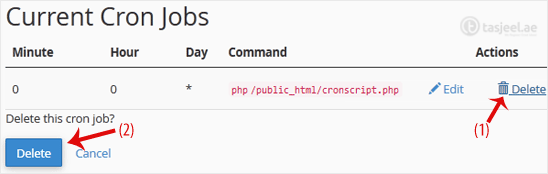
Scroll down to the end of the page. Under Current Cron Jobs, locate your cronjob and click on Edit.
-
Make the appropriate changes and then click on Edit Line.
How to Delete a Cronjob
-
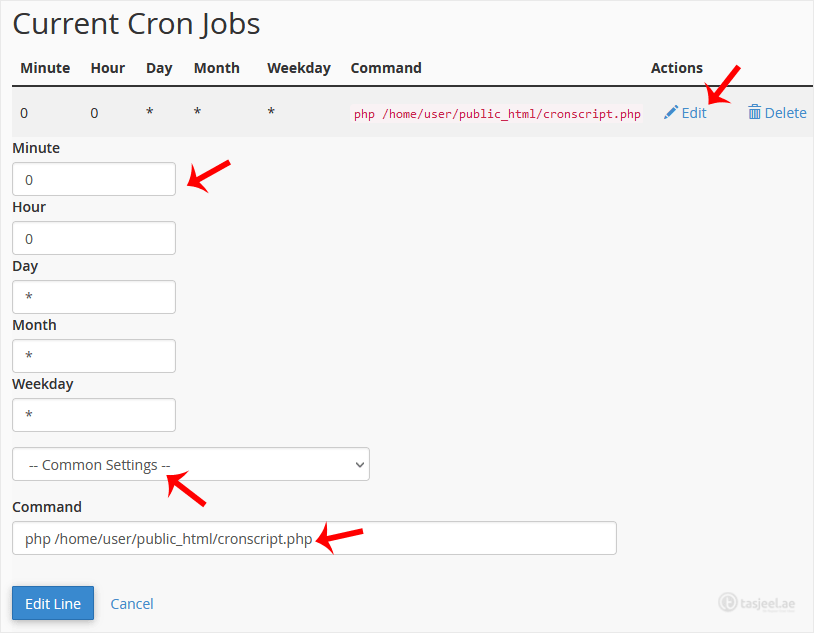
Under Current Cron Jobs, locate your cronjob and click on Delete.
-
Under the Delete this cron job?, click on Delete.