
You can forward an email to other email accounts using Mozilla Thunderbird.

Steps to forward an Email in Mozilla Thunderbird

  1. Open Mozilla Thunderbird.

    1. Open Mozilla Thunderbird.
  2. Go to Inbox. Select the message you want to forward, and it will show the Forward option. Click it.
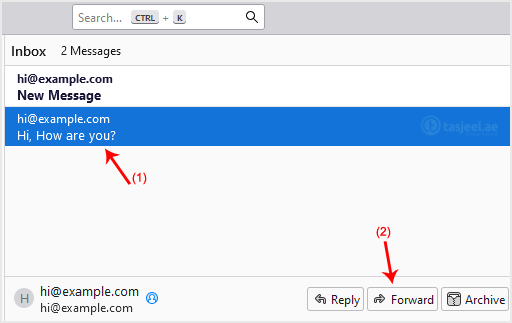
    2. Go to Inbox. Select the message you want to forward, and it will show the Forward option. Click it.
  3. Write your message, enter recipient email in To field, then click Send.
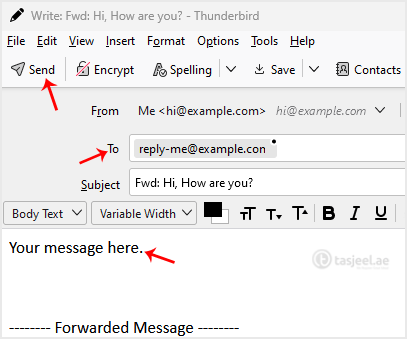
    Write your message, enter recipient email in To field, then click Send.

Current Category

Find The Perfect Domain Name

www

Other Knowledge Articles

Steps to check for New Email in Outlook 2021 Open

You can easily remove email in Outlook 2021. If you

You can forward the email using Outlook 2021. Steps to