

Steps to remove a Domain Redirect in cPanel
-
Log in to your cPanel account.
-
In the Domains section, click on Redirects.

-
Scroll down to the end of the page. Under Current Redirects, locate the domain and click on remove.
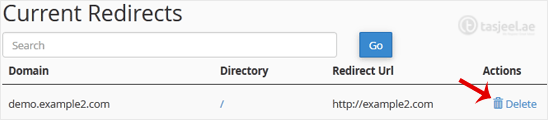
-
For confirmation, click on Remove Redirect once more.

