

You can download files from your website to your computer using the FileZilla Client.
Steps to download Files and Directories to Your Computer via FileZilla
-
Open FileZilla FTP Client.
-
Enter your FTP host, username, and password. You can use your cPanel username and password as your FTP user and password. Then click on Quick Connect.
- Enter your domain name in the Host field, such as ftp.example.com or example.com.

-
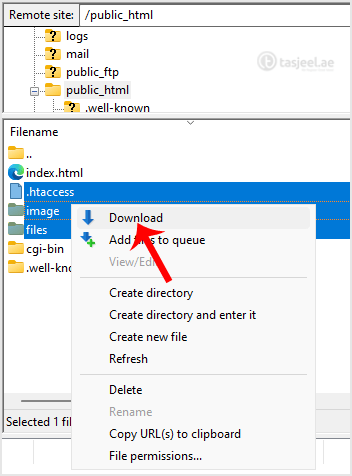
On the right-hand side, inside the Filename box, select the files or directories you wish to download. You can press the CTRL key to choose multiple directories/files. Then right-click on the selection and press Download.
It can take a few minutes to download. You can watch the progress.
