
Your domain’s renewal date has passed. Your website and email have stopped, but in most cases you can still get it back at the normal price, if you act quickly.
What happens after expiry
| .ae domains | .com, .net and other extensions | |
|---|---|---|
| Grace period, just after expiry | Renew at the normal price. No extra fee | Renew at the normal price |
| After the grace period | There’s no recovery period: the registry deletes the domain and anyone can register it | A recovery period, with a recovery fee on top of the renewal. The fee depends on the extension |
| After that | — | Released, then anyone can register it |
The grace period is short, so renew as soon as you can.
We can’t take it back. The only route is asking the new owner to sell or transfer it to you.
Renew it now
- Open the domain
Go to Domains › My Domains and click Manage next to it.
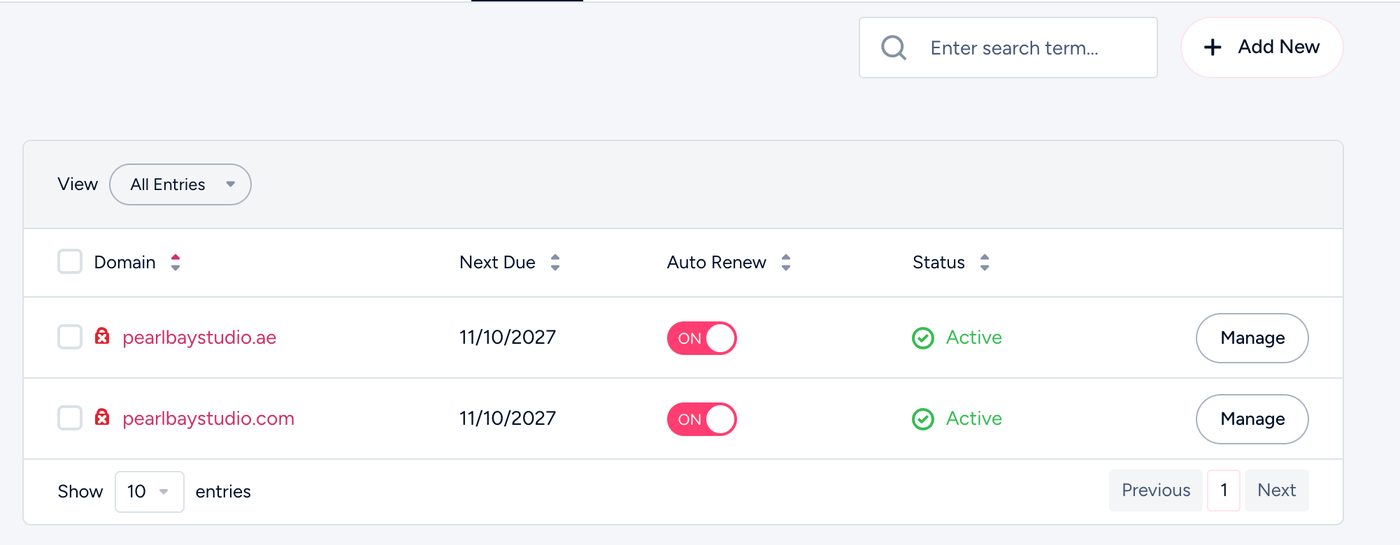
My Domains - Renew
Choose Renew Domain, then pay the invoice. If there’s already an unpaid renewal invoice, just pay that in Billing › My Invoices.
- Give it a moment
Your website and email come back within a few hours of payment.
Common questions
Can I still renew if auto-renew was off?
Yes. Auto-renew only decides whether we charge your card. You can renew yourself during the grace period.
My hosting expired too.
Renew the domain first, then see Restore your website after your hosting expired.
Someone else has registered my old domain.
We can’t recover it. You can contact the new owner through the public WHOIS, or choose a new domain.