
Moving your domain to us keeps your website and email running – the transfer only changes who you renew with. You need one thing from your current provider: the transfer code. Here’s how it works for .ae and for .com and other domains.
What you need before you start
- The transfer code (also called an EPP or auth code). Your current provider gives it to the domain’s owner.
- Access to the owner’s email on the domain, in case the code or an approval is sent there.
- An unlocked domain (.com and similar). Your current provider can unlock it for you.
| .ae domains | .com, .net and others | |
|---|---|---|
| Price | Free | Same as a one-year renewal (.com AED 55), ex VAT |
| Extra year added? | No, your expiry date stays the same | Yes, one year is added to your expiry date |
| Usually takes | 48 hours from the “Domain Transfer Initiated” email we send you | 5 to 7 days |
| Can’t transfer if… | The domain has expired | Registered or transferred in the last 60 days, or expired |
How to transfer
- Get your transfer code
Ask your current registrar for it. For .ae domains, it goes to the owner listed on the domain.
Can’t get the code from your current provider?For .ae domains, we can ask the .ae registry to send the transfer code straight to the email address registered on the domain. Just chat with us or open a ticket and tell us the domain name. If you no longer use that email address, your current provider needs to update it first.
- Order the transfer
In the client area, go to Domains › Transfer in a Domain, enter your domain and click Order Now. You’ll be asked for the transfer code. The “extend by 1 year” offer on this page doesn’t apply to .ae domains.
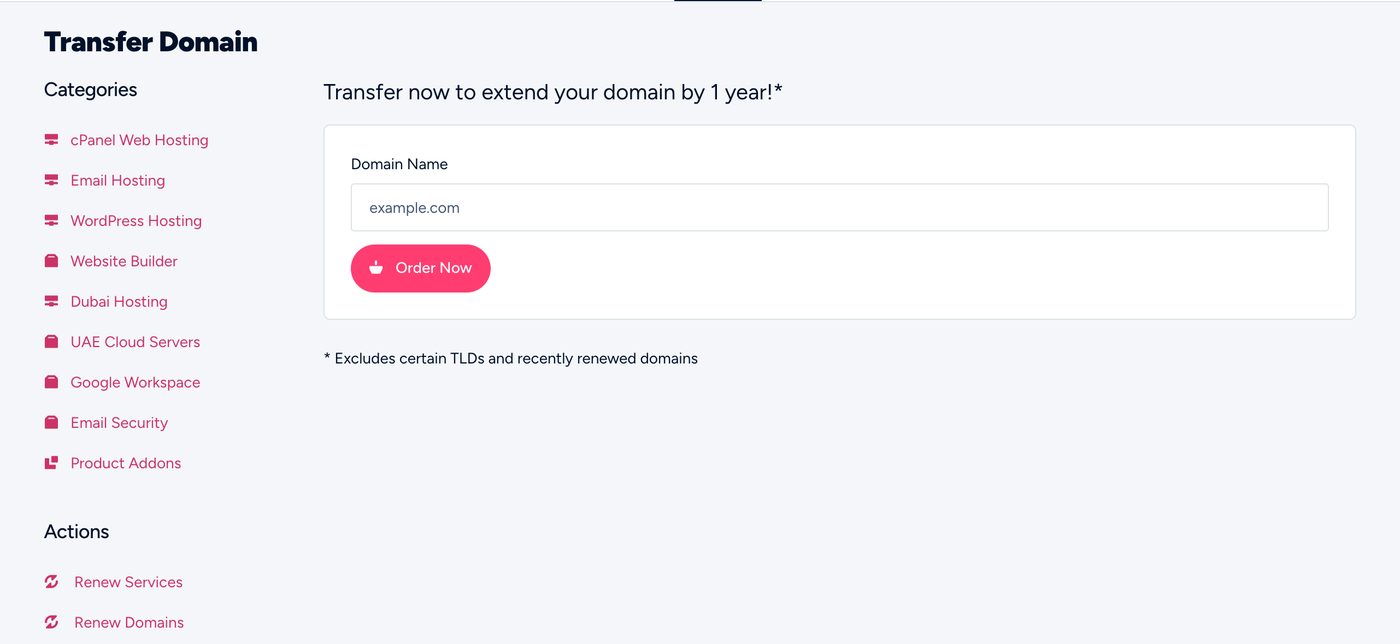
Transfer Domain in the client area - Pay the invoice
.ae transfers are free, so there’s nothing to pay unless you add other services.
- Approve it if asked
For .com and similar, the owner may get an email asking to approve the transfer. Approve it to speed things up. For .ae, once you get our “Domain Transfer Initiated” email it takes up to 48 hours. In a hurry? Ask your current registrar to approve it sooner. Some will.
- Done
We email you when the transfer completes. Your domain then shows in My Domains.
A transfer doesn’t change your nameservers or DNS. Everything keeps running as it is. You can move your DNS to us later if you want to.
Moving from a specific provider?
Follow our guide for your provider: Hostinger, GoDaddy, Etisalat (nic.ae), AEServer, Namecheap, IONOS or other providers.
Common questions
I can’t get the transfer code from my current provider.
Ask them in writing and keep the reply. If they still won’t give it, contact us with the domain name and we’ll tell you what to do next.
The transfer failed. Why?
Usually a wrong or expired code, a locked domain, or a domain registered less than 60 days ago. Check the code with your provider and try again, or ask us to check.
Do I need to transfer my hosting too?
No. Domain and hosting are separate. You can move just the domain, just the hosting, or both.
Can I transfer a domain that’s expired?
Renew it with your current provider first, then transfer.