
Point your domain to your Netlify site while keeping your email with us.
In Netlify
- Add your domain in Netlify
In your site, go to Domain management › Add a domain.
- Choose external DNS
Choose to keep your DNS where it is (external DNS), not Netlify DNS, so your email keeps working.
- Add the records with us
Add the records Netlify shows where your domain’s DNS lives.
The records to add
Netlify shows the exact records for your site. Copy them exactly. They usually look like this:
| Type | Name / Host | Points to |
|---|---|---|
| A | @ |
75.2.60.5 (or the value Netlify shows) |
| CNAME | www |
yoursite.netlify.app |
Leave your MX records and anything else alone. Then your email, and anything else on your domain, keeps working exactly as it is.
Where to add the records
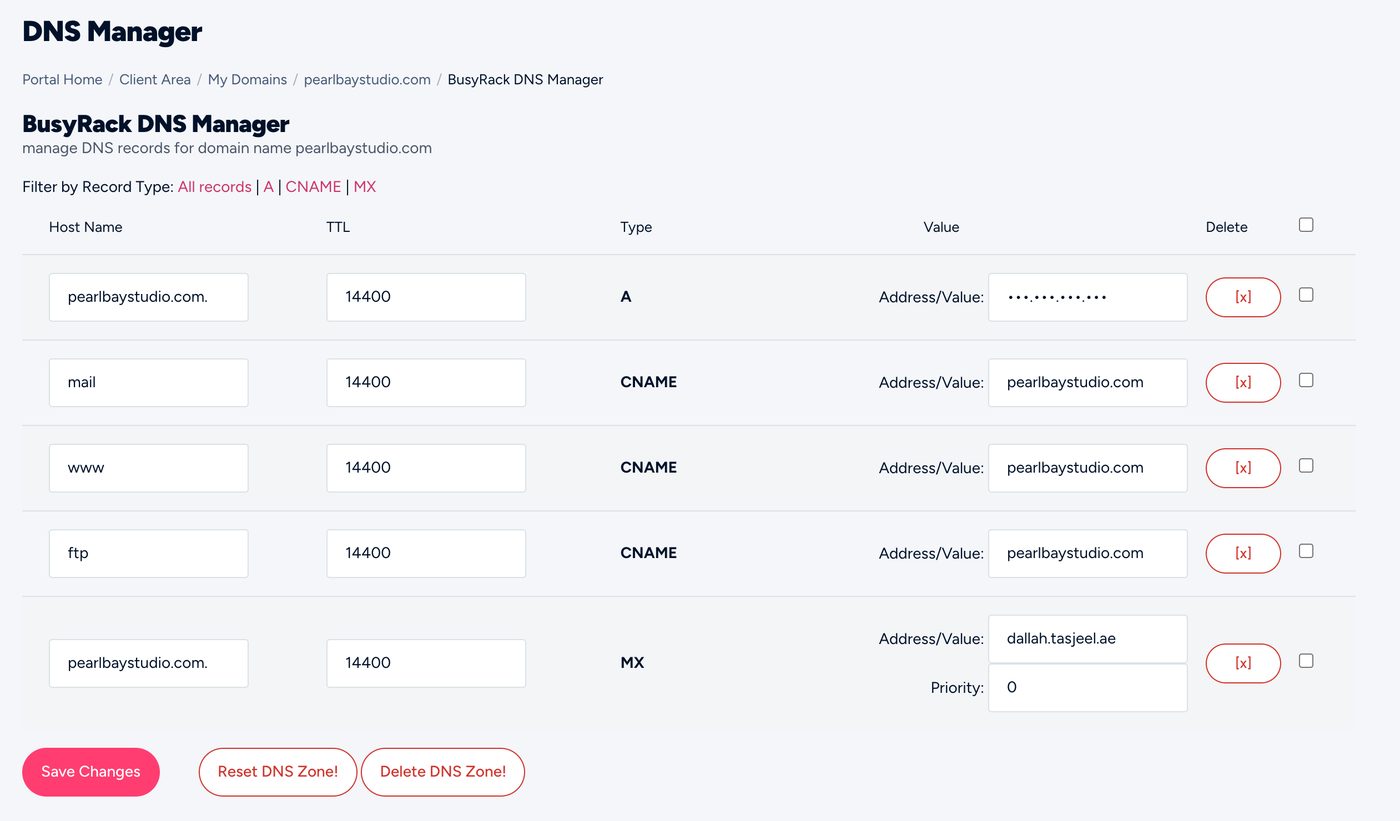
Add them where your domain’s DNS lives: the client area’s DNS Management if you’re on ns3 and ns4, cPanel’s Zone Editor if you’re on our hosting nameservers, or your DNS provider (such as Cloudflare). Not sure? See Where to edit your DNS.
Set these records to DNS only (grey cloud), not proxied, unless the platform tells you otherwise. Otherwise the platform can’t issue its SSL certificate.
Send us the records the platform shows you, by chat or ticket, and we’ll add them.
How long it takes
Usually under an hour, sometimes up to 24 hours. Netlify checks the records and then turns on SSL for your site by itself.