
Transferred a domain to us and wondering where it is? Here’s how to check, how long each type takes, and the usual reasons a transfer fails.
Check where it is
- Open My Domains
Log in to your client area and go to Domains › My Domains.
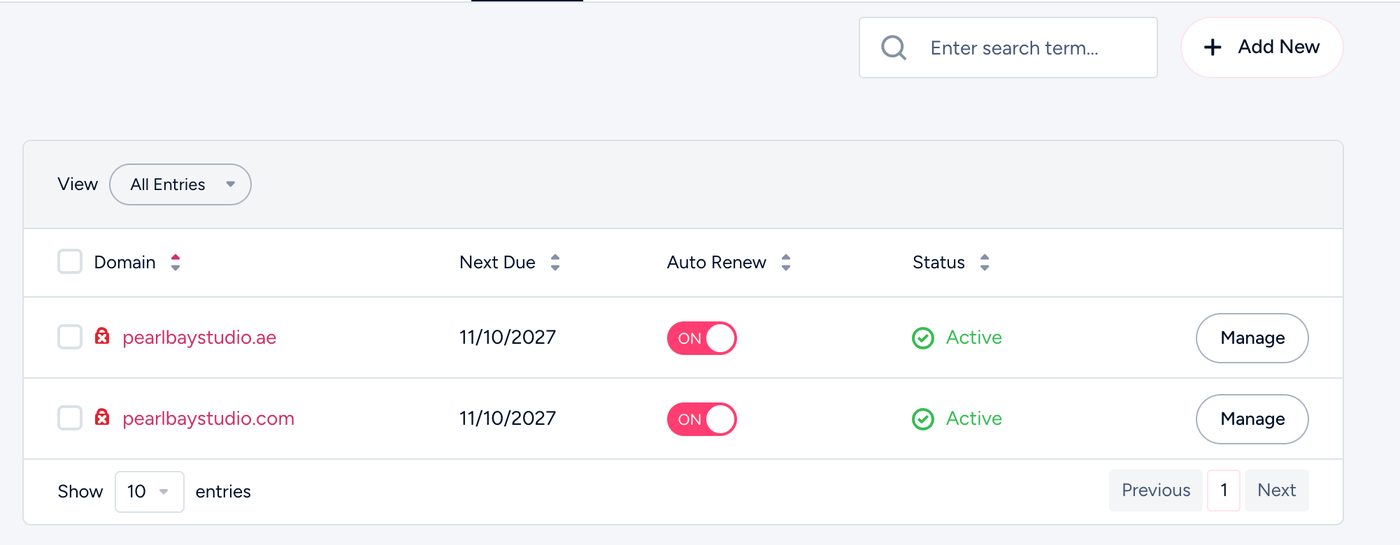
My Domains in the client area - Look at the status
- Pending means the transfer hasn’t started yet. Contact us so we can start it.
- Pending Transfer means it’s on its way. Nothing to do but wait.
- Active means it’s done.
- Anything else, such as Cancelled, means it needs attention. Contact us.
How long it takes
| Usually takes | |
|---|---|
| .ae domains | 48 hours from our “Domain Transfer Initiated” email |
| .com, .net and others | 5 to 7 days, or sooner if the owner approves it |
Why transfers fail
- Wrong or old transfer code. Codes can expire or change. Ask your current provider for a fresh one.
- The domain is still locked at your current provider (.com and similar).
- Registered, transferred or changed owner in the last 60 days (.com and similar). Wait until the 60 days have passed.
- The domain has expired. Renew it with your current provider first.
- The approval email wasn’t answered (.com and similar). It goes to the owner’s email address on the domain.
Stuck or not sure why?
Chat with us or open a ticket with the domain name. We’ll check the transfer and tell you exactly what’s needed.