
Pay any Tasjeel.ae invoice from your client area by card, Apple Pay, Google Pay, PayPal or bank transfer.
Pay from the client area
- Open your invoices
Log in to your client area at my.tasjeel.ae. In the top menu, click Billing › My Invoices. Unpaid invoices are at the top.
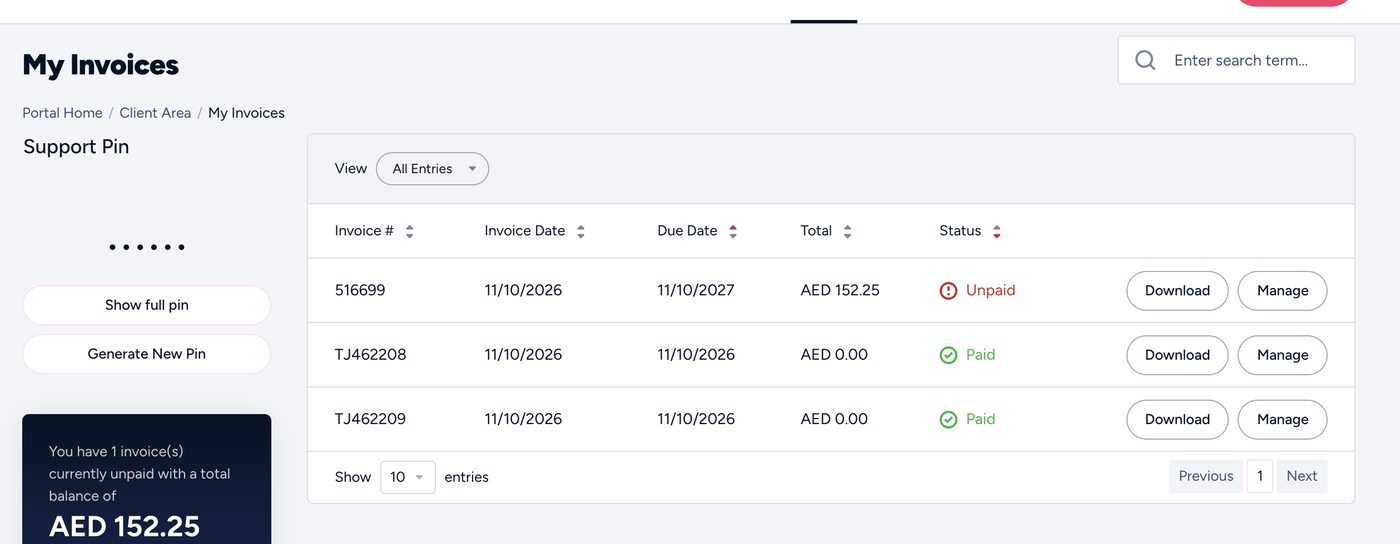
My Invoices in the client area - Open the invoice
Click the invoice you want to pay. Check what it’s for and the amount.
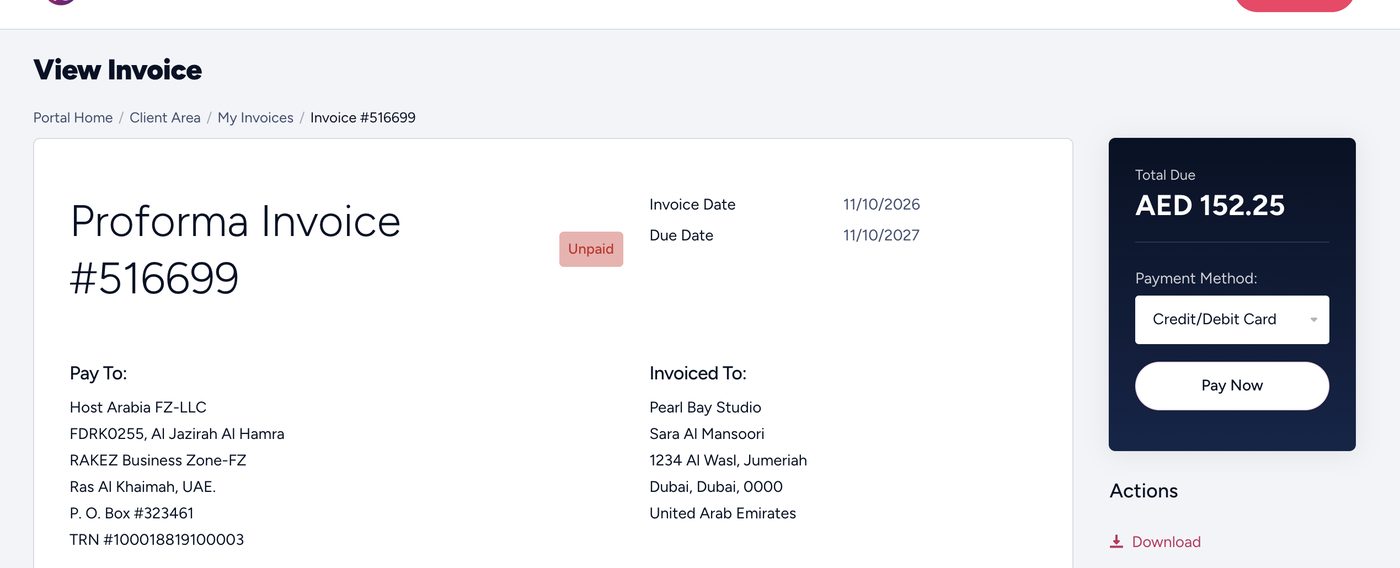
An unpaid invoice - Choose how to pay
Pick a payment method: card (Visa or Mastercard, including Apple Pay and Google Pay), PayPal or bank transfer.
- Pay
Click Pay Now and follow the steps. Card and PayPal payments show straight away; the invoice turns to Paid.
Paying by bank transfer?
Use the invoice number as the payment reference. Your service is activated once the money reaches us. See Paying by bank transfer.
Common questions
Which currencies can I pay in?
AED, USD, EUR or GBP.
Are prices with VAT?
No. Prices are shown without 5% UAE VAT, which is added to the invoice.