
Nameservers tell the internet where to find your domain’s settings – your website, your email, everything. Change them and you change who’s in charge of those settings. Here’s which ones to use, and how to switch safely.
Which nameservers to use
Our default nameservers
Every domain you register with us starts on ns3.tasjeel.ae and ns4.tasjeel.ae. You edit DNS in the client area’s DNS Management. Domain forwarding and email forwarding only work on these.
Your hosting server’s nameservers
Each hosting server has its own set, such as ns5/ns6.tasjeel.ae. They’re in your hosting welcome email, which is also saved in the client area under your name › Email History. Use all of them. You edit DNS in cPanel’s Zone Editor.
It keeps the nameservers it had with your previous provider, so your website and email carry on as before. Switch to ours only when you’re ready to manage your DNS here.
Before you switch
The moment new nameservers take over, your old DNS records stop working. If your website or email runs somewhere today, copy its records (MX for email, A for the website, any TXT) to the new place first, so nothing goes offline.
No need to copy anything. Your hosting already has the records it needs.
Change nameservers in your client area
- Open your domain
Log in at my.tasjeel.ae, go to Domains › My Domains and click Manage next to the domain.
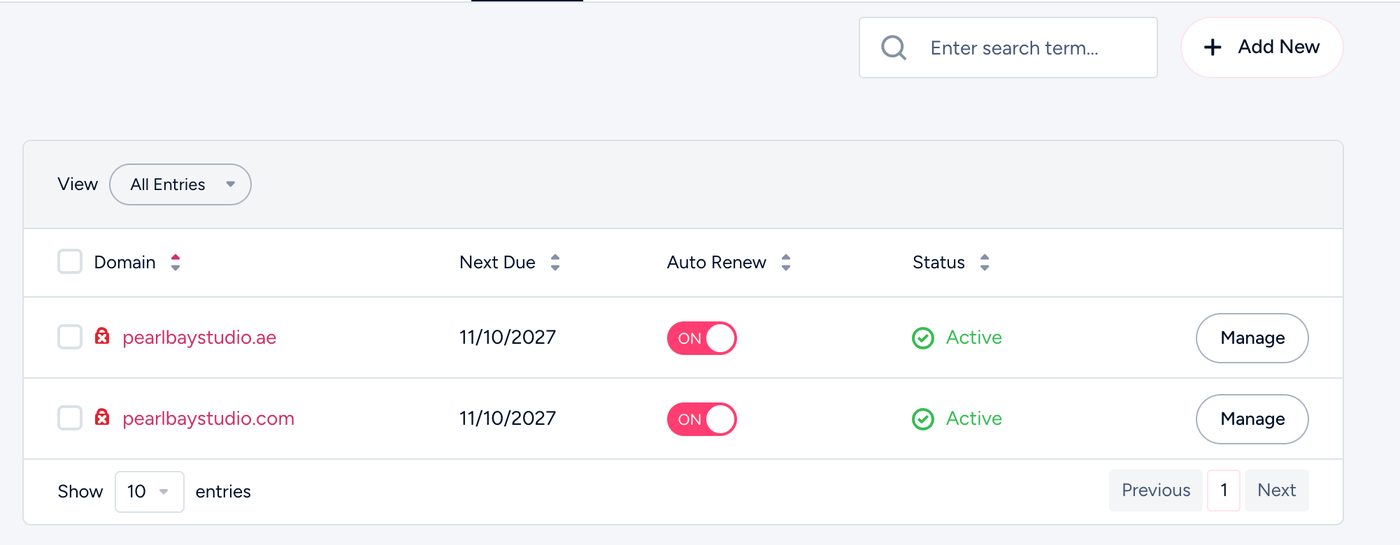
My Domains - Open Nameservers
Choose Nameservers in the left menu. Here the domain is on our default nameservers.
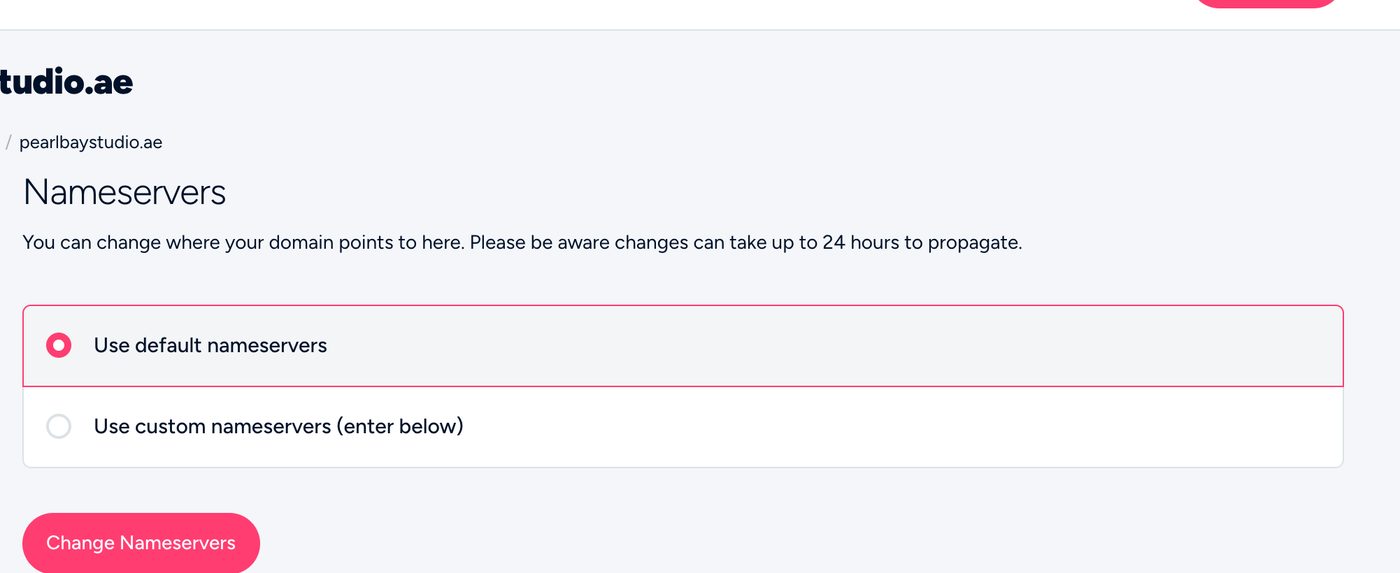
Before: on our default nameservers - Enter the new nameservers and save
Choose Use custom nameservers (enter below), type the new ones (here, the hosting pair ns5 and ns6), leave the extra boxes empty and click Change Nameservers. You’ll see “Changes Saved Successfully!”.
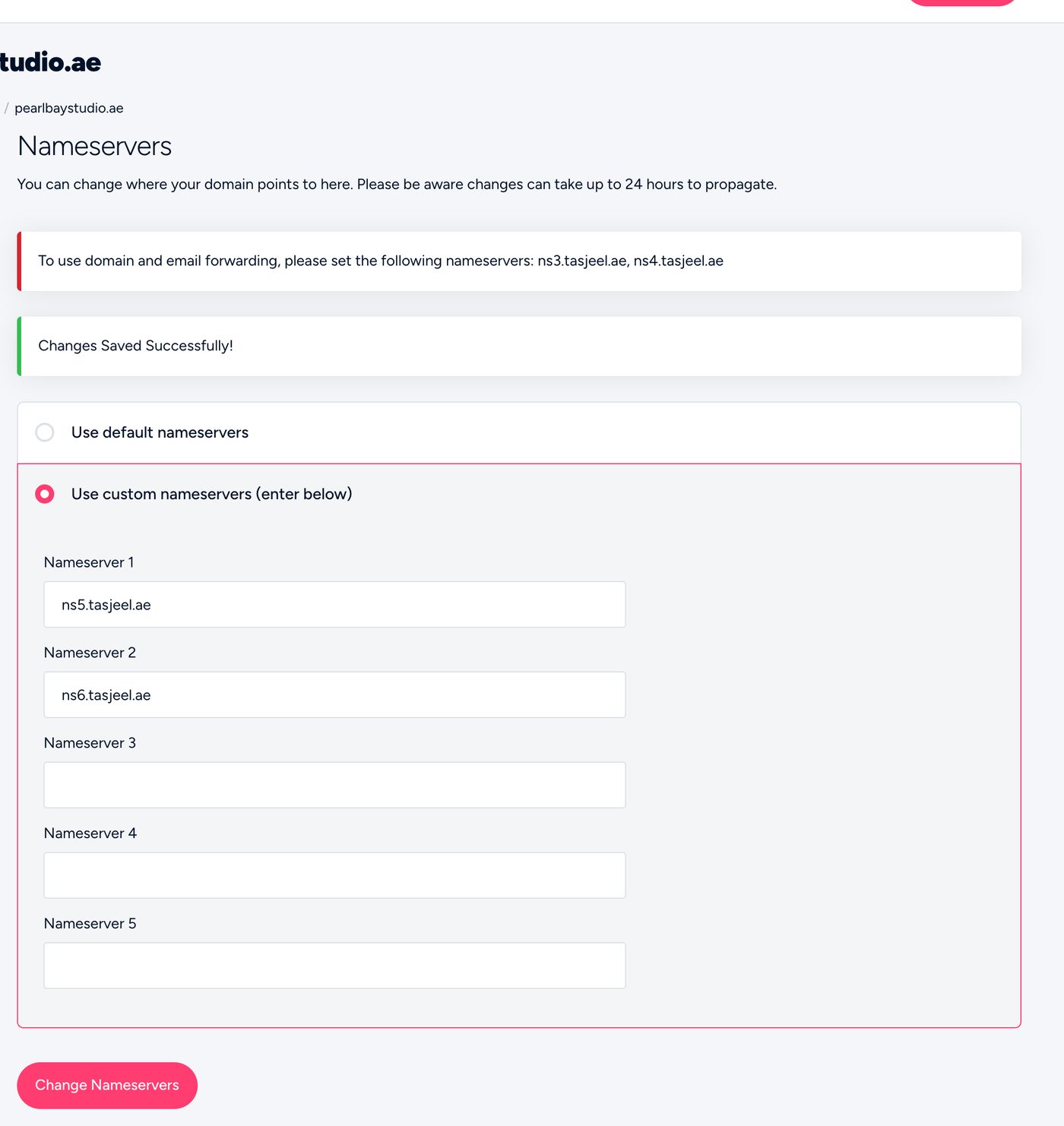
After: switched to the hosting nameservers
To go back to ours, choose Use default nameservers and save.
Domain registered somewhere else?
Change the nameservers in that company’s control panel. Look for “Nameservers” or “DNS”, choose custom, and enter ours. Our step-by-step guides: Hostinger, GoDaddy, Etisalat (nic.ae), AEServer, Namecheap, IONOS and other providers.
How long it takes
Usually a couple of hours, and up to 24 hours for every network to catch up. In between, some visitors may see the old setup and some the new one. That’s normal.
Common questions
I changed nameservers and my email stopped.
The new nameservers don’t have your email records yet. Add your MX records there, or switch back while you copy them.
Can I use Cloudflare with Tasjeel.ae hosting?
Yes. A free Cloudflare account works well with our hosting and email. Copy your records across first and keep your email records “DNS only”. See Move your DNS to Cloudflare without breaking your website or email.
Why does the page say to use ns3 and ns4 for forwarding?
Domain forwarding and email forwarding run on our default nameservers. If you switch to hosting or another provider, set those up there instead.