
Everything you have with Tasjeel.ae is in three places in the client area. Here’s where to find each one.
| To find | Go to |
|---|---|
| Hosting, email plans, website builder, SSL | Services › My Services |
| Domains | Domains › My Domains |
| Invoices and payments | Billing › My Invoices |
| Support tickets | Support › Tickets |
Your services
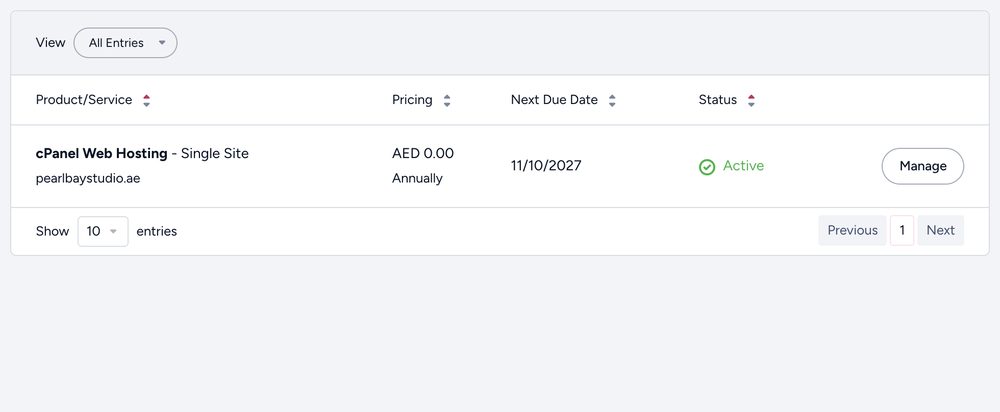
Click Services › My Services. Each plan shows its domain, price and next due date. Click Manage to open it: log in to cPanel or webmail, change passwords, upgrade or cancel.
Your domains
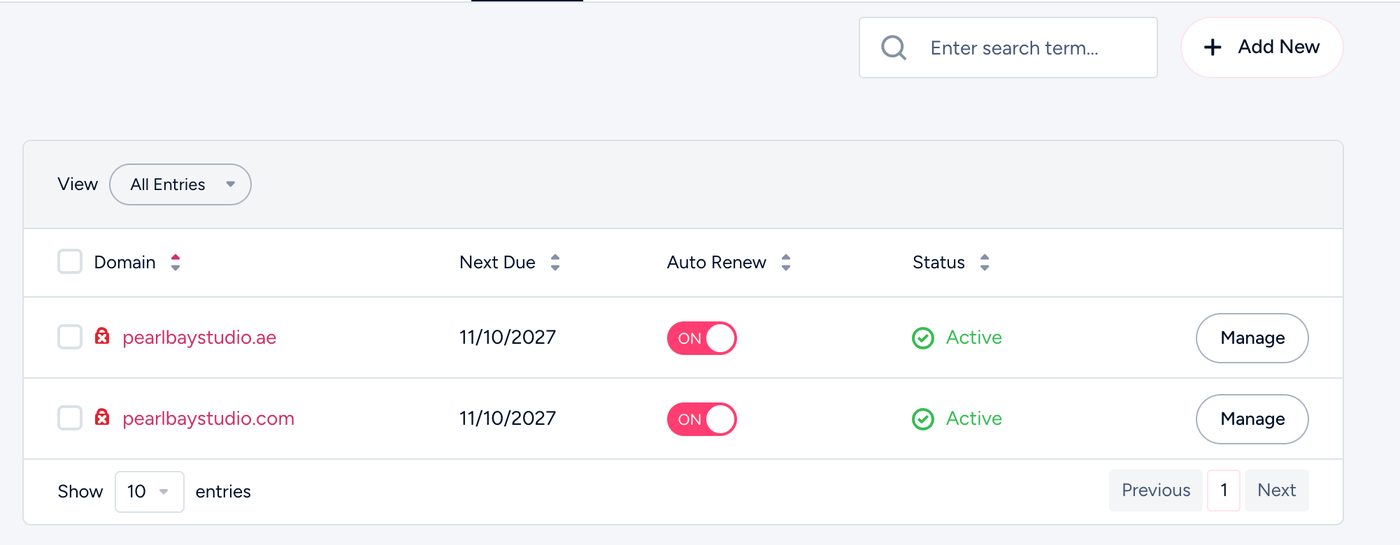
Click Domains › My Domains. Click a domain to change its nameservers, DNS, auto-renew or contact details, or get its transfer code.
Your invoices
Click Billing › My Invoices. Open any invoice to pay it or download it as a PDF.
Can’t see a service you’ve paid for?
You may have more than one Tasjeel.ae account, for example one in your name and one in your company’s. See I paid, but my service isn’t showing.