
After you buy an SSL certificate, three things happen: you create a request (CSR), you prove the domain is yours, and you install the certificate. Here’s each one. If your website is on our hosting, we’re happy to do it for you.
Open a ticket with the domain and tell us where your website is hosted. If it’s on our hosting, we can do the whole thing for you.
1. Create a CSR
A CSR (certificate signing request) is a block of text that holds your domain details. On Tasjeel.ae hosting, make it in cPanel. Hosted elsewhere? Your host’s control panel has the same tool.
- Open the Requests tab
Log in to cPanel, then go to Security › SSL/TLS and click Requests (Certificate Signing Requests).
- Fill in the form
Leave Key as a new 2,048-bit key. In Domains, type your domain (for a Wildcard,
*.yourdomain.ae). Fill in city, state, country and company, then click Generate.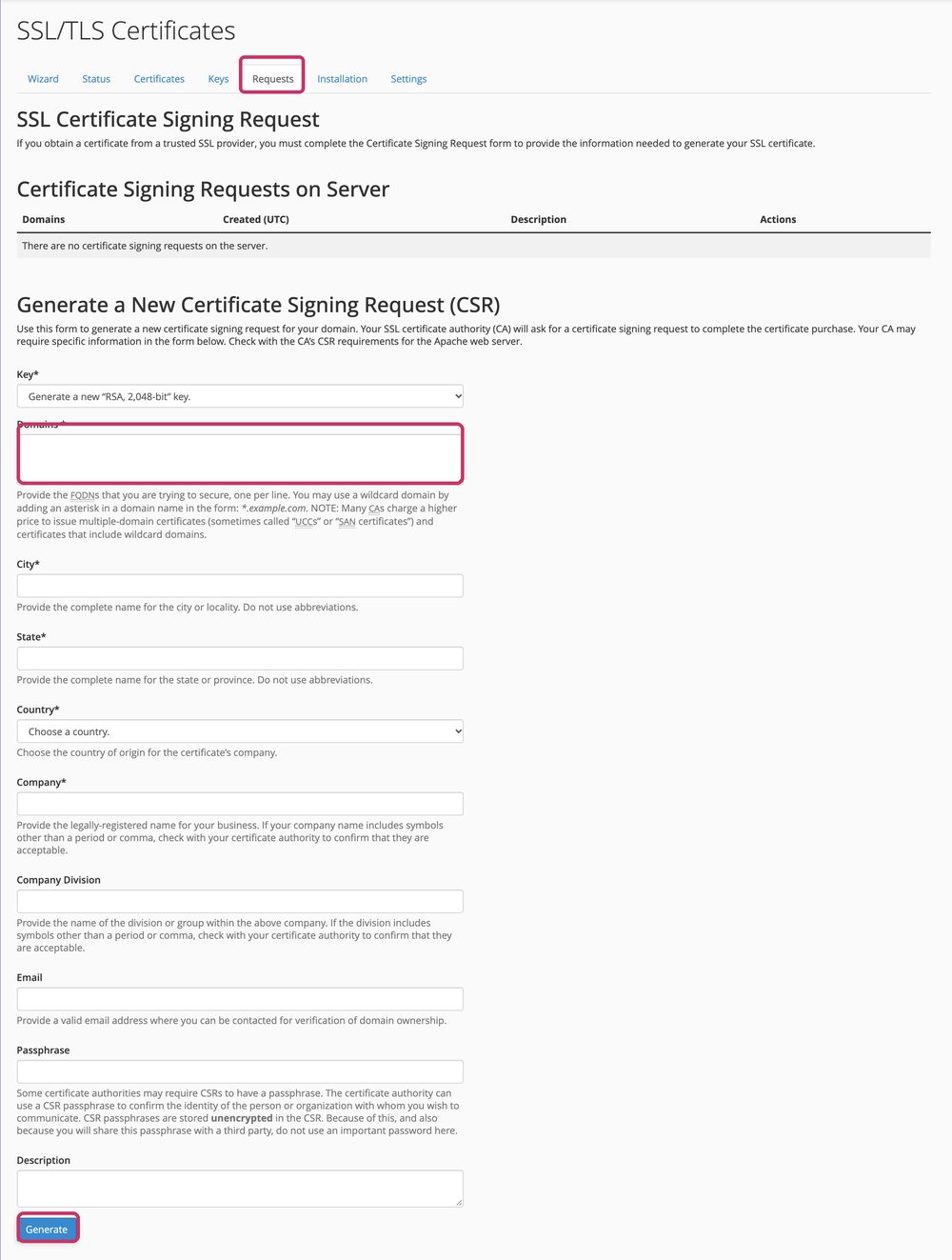
Domains, the details, then Generate - Copy the CSR
Copy the whole block of text, from
-----BEGIN CERTIFICATE REQUEST-----to the END line.
2. Send the CSR and prove the domain is yours
- Open your SSL service
In the client area, go to Services › My Services and click Manage next to the SSL certificate.
- Paste the CSR
Paste your CSR into the setup form and fill in the contact details.
- Validate the domain
Choose how to prove the domain is yours, usually a DNS record we give you. Add it where your DNS lives, and the certificate is issued once it’s seen, often within an hour.
3. Install the certificate
- Copy the certificate
Once it’s issued, copy the certificate (and the CA bundle, if given) from your SSL service in the client area or from the email we send.
- Install it in cPanel
In cPanel, go to SSL/TLS › Installation (Manage SSL Sites). Choose the domain, paste the certificate and click Install Certificate. cPanel fills in the key by itself because the CSR was made there.
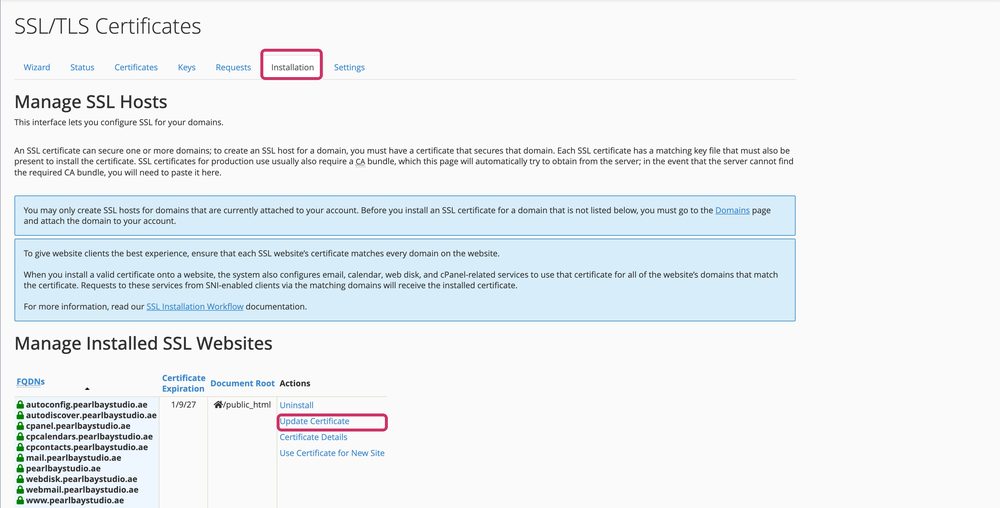
SSL/TLS › Installation in cPanel
We can only install certificates on our own hosting. Install it in your host’s control panel the same way, or send your host the certificate. The private key stays where the CSR was created.