
Most hacked WordPress sites have one thing in common: something was out of date. A few settings and habits keep yours safe.
Turn on automatic updates
Automatic updates are off when WordPress is first installed, so switch them on yourself. It’s the single best thing you can do for your site:
- Security fixes arrive fast. When a weakness is found in WordPress or a plugin, attackers start scanning for it within days. Updates close the gap before they find you.
- Out-of-date plugins are the main way sites get hacked. An old plugin you forgot about is all it takes.
- You don’t have to remember. Updates happen in the background, and we keep backups for 30 days if one ever causes a problem.
- Open your site in WordPress Manager
In cPanel, open WordPress Manager by Softaculous and click the arrow next to your site.
- Switch on auto upgrades
Set Auto Upgrade WordPress Core to upgrade, and Auto Upgrade WordPress Plugins and Auto Upgrade WordPress Themes to Enabled.
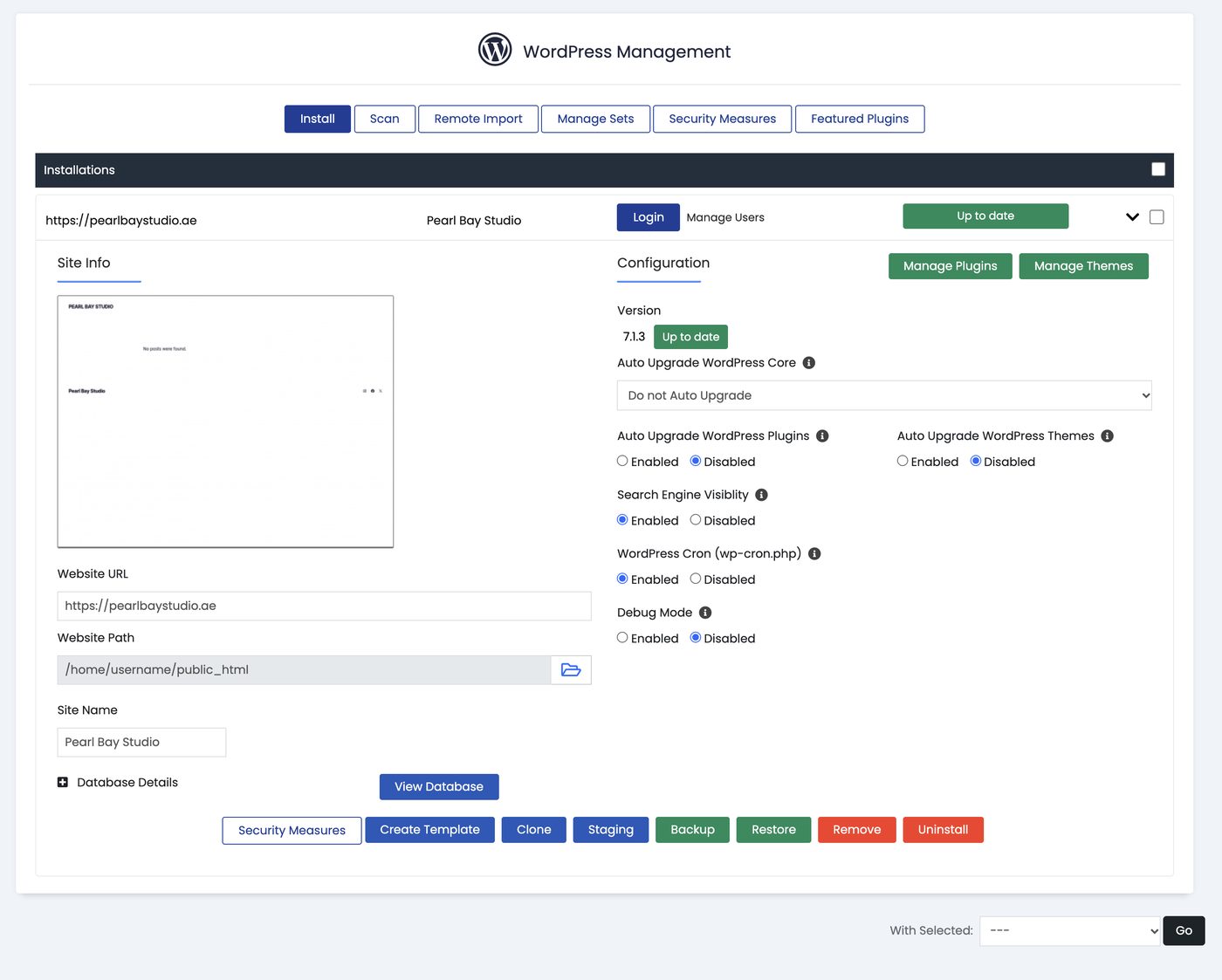
Auto upgrade settings in WordPress Manager
Good habits
- Remove plugins and themes you don’t use.
- Use a unique admin username, not “admin”, and a strong password.
- Limit login attempts with a plugin such as Loginizer, so attackers can’t guess passwords endlessly.
- Only install plugins and themes from trusted sources, never “nulled” paid ones.
- Keep backups. We keep restore points for 30 days. See Back up and restore your website.
Want us to watch for malware?
Our Website Protection add-on scans your files and removes malware automatically. Add it from your hosting plan’s page in the client area, under Addons and Extras.